
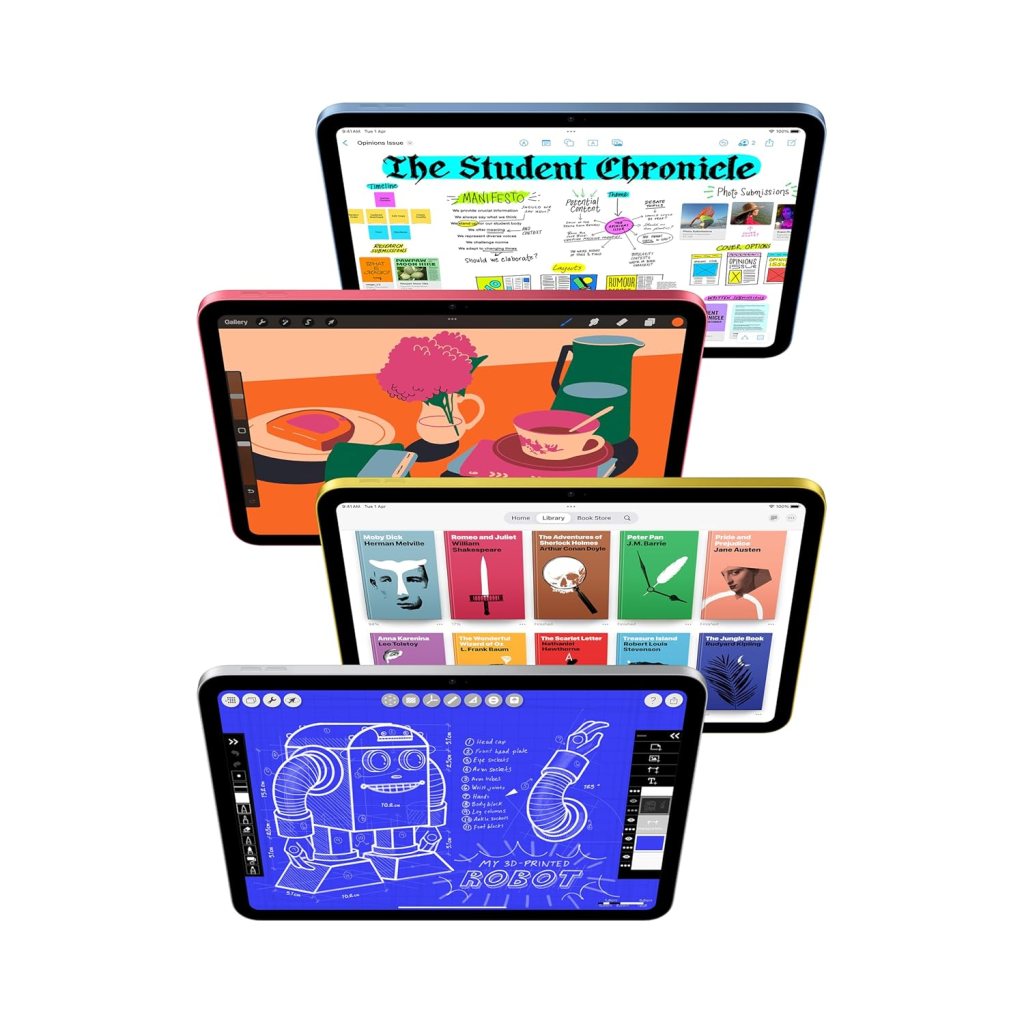
Whether you’re a tech enthusiast or just want a tablet that “just works,” the new iPad 11″ (A16 Bionic, 128GB, Wi-Fi 6, Blue) is designed for everyone. Let’s break it down—no jargon, just real-world benefits—so you know exactly why this iPad stands out.
1. The Brain: A16 Bionic Chip
Tech Talk:
- Apple’s A16 Bionic chip (6-core CPU, 5-core GPU, 16-core Neural Engine).
- Built on 4nm architecture for efficiency and power.
In Plain English:
- This is the fastest processor in an iPad (except the Pro models).
- What it means for you:
- Games run smoother (no lag in Call of Duty Mobile or Genshin Impact).
- Editing 4K videos is quicker than older iPads.
- Multitasking (like split-screen apps) feels effortless.
💡 Real-Life Example:
- Your old tablet takes 5 seconds to open Photoshop? This one opens it in 1 second.
2. The Stunning Screen: 11″ Liquid Retina Display
Tech Talk:
- 2732 x 2048 resolution (2388 x 1668 for non-Pro iPads).
- P3 wide color gamut, 600 nits brightness, ProMotion (120Hz) optional.
In Plain English:
- The screen is sharper, brighter, and more colorful than most laptops.
- True Tone = Adjusts colors based on your room’s lighting (like how paper looks under sunlight).
- Why it matters:
- Watching Netflix feels like a mini-cinema.
- Reading eBooks is easy on the eyes (no harsh blue light).
💡 Real-Life Example:
- Compare an old budget tablet (washed-out colors) vs. this iPad (vibrant, lifelike images).
3. Storage: 128GB (Up to 512GB)
Tech Talk:
- NVMe SSD storage (faster than eMMC in cheap tablets).
In Plain English:
- 128GB = Enough for:
- 30,000+ photos
- 30+ HD movies
- 50+ large games (like PUBG, Asphalt 9)
- Need more? Go for 256GB or 512GB if you shoot 4K videos daily.
💡 Real-Life Example:
- A 64GB iPad fills up fast. 128GB means no more “Storage Full” warnings every week.
4. Cameras: 12MP Front & Back
Tech Talk:
- 12MP Ultra Wide front camera (Center Stage) – Auto-framing for video calls.
- 12MP Wide back camera – ƒ/1.8 aperture, Smart HDR 4.
In Plain English:
- Front Camera: Perfect for Zoom calls (it zooms in/out to keep you centered).
- Back Camera: Great for scanning documents and casual 4K videos.
- Not a DSLR replacement, but better than most tablets.
💡 Real-Life Example:
- Scanning a contract for work? The text comes out crisp and readable.
5. Battery Life: All-Day Power
Tech Talk:
- 28.65-watt-hour battery, up to 10 hours of web/video.
In Plain English:
- Lasts a full workday (or a long flight) without charging.
- Streaming Netflix? ~10 hours. Light browsing? Even longer.
💡 Real-Life Example:
- Flight from Delhi to Dubai? Watch 3-4 movies and still have battery left.
6. Connectivity: Wi-Fi 6 & 5G (Optional)
Tech Talk:
- Wi-Fi 6 (802.11ax) – 2x faster than Wi-Fi 5.
- 5G (mmWave/sub-6) – If you get the cellular model.
In Plain English:
- Wi-Fi 6 = Faster downloads (a 2GB movie in seconds).
- 5G = Mobile hotspot on the go (if you pay for a data plan).
💡 Real-Life Example:
- Downloading a game (5GB)? Takes under a minute vs. 5+ minutes on older Wi-Fi.
7. Touch ID – Unlock with Your Fingerprint
Tech Talk:
- Second-gen Touch ID (built into the power button).
In Plain English:
- No face scanning—just touch the button to unlock.
- More secure than a PIN, faster than typing a password.
💡 Real-Life Example:
- Wearing a mask? No problem—unlocks instantly with your fingerprint.
8. Accessories: Apple Pencil & Magic Keyboard
Tech Talk:
- Apple Pencil (USB-C) – Low latency, tilt/pressure sensitivity.
- Magic Keyboard Folio – Backlit keys, trackpad support.
In Plain English:
- Apple Pencil = Turns iPad into a digital notebook (handwritten notes, drawings).
- Magic Keyboard = Turns iPad into a mini MacBook.
💡 Real-Life Example:
- Students: Take handwritten notes in class.
- Professionals: Type emails & reports like a laptop.
Who Should Buy This iPad?
✔ Students – Perfect for notes, eBooks, and research.
✔ Professionals – Great for emails, Zoom calls, and documents.
✔ Creators – Draw, edit photos/videos smoothly.
✔ Casual Users – Best for Netflix, social media, and browsing.
Alternatives?
- Samsung Galaxy Tab S10 FE – Cheaper, but slower processor.
- iPad 10th Gen (A14 Bionic) – Older chip, no True Tone.
🚀 Verdict: If you want the best balance of power, display, and battery life, this iPad is worth every penny.
Got questions? Ask in the comments! 😊
 ReviewSpire
Leave a comment