
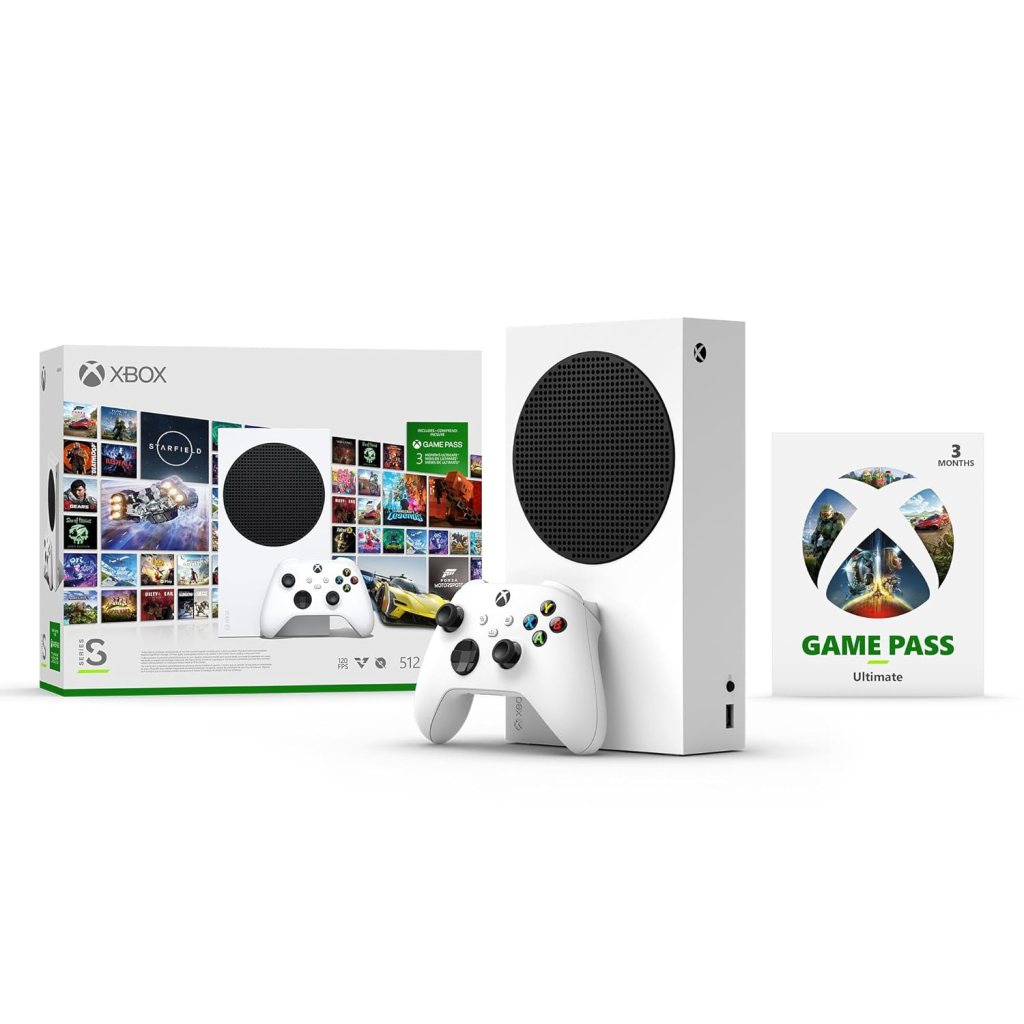
Xbox Series S Review – Compact Powerhouse with a Few Trade-offs
Rating: ⭐⭐⭐⭐⭐ (5/5)
Performance & Hardware
The Xbox Series S is a remarkable next-gen console that delivers smooth, high-performance gaming at an affordable price. Powered by Xbox Velocity Architecture, it offers:
- Up to 120 FPS gameplay for ultra-responsive experiences.
- Quick Resume for seamless switching between multiple games.
- Lightning-fast load times thanks to its 512GB custom SSD (though only ~364GB is usable).
- Supports ray tracing for enhanced lighting and reflections.
While it doesn’t support native 4K (maxes out at 1440p), the upscaling on 4K TVs is impressive, and most gamers won’t notice a major difference at normal viewing distances.
Game Pass Ultimate – Unmatched Value
The inclusion of 3 months of Game Pass Ultimate is a game-changer, offering:
- Day-one access to Microsoft exclusives like Starfield and Forza Motorsport.
- Hundreds of high-quality games, including Halo Infinite, Forza Horizon 5, and Minecraft Legends.
- EA Play membership for additional titles like Battlefield and F1.
- Cloud & PC gaming for flexibility.
Design & Portability
- Ultra-compact size – Fits easily in a backpack, making it great for travel.
- Whisper-quiet operation – Even after hours of gaming, the fan noise is minimal.
- No disc drive – Fully digital, which means no used game discs but also no clutter.
Storage Limitation – The Biggest Drawback
The 512GB SSD fills up quickly with modern games (e.g., Microsoft Flight Simulator and Forza Horizon 5 take up ~100GB+ each). You’ll need:
- External HDD (for backward-compatible games).
- Official Seagate Expansion Card (expensive but required for next-gen titles).
Controller & Battery Life
- The controller is ergonomic but lacks built-in rechargeable batteries (recommend Eneloop rechargeables).
- Battery life lasts ~1-2 days with moderate use.
Final Verdict
✅ Pros:
✔ Excellent price-to-performance ratio
✔ Smooth 120Hz gameplay & Quick Resume
✔ Game Pass Ultimate = Huge library
✔ Portable, silent, and sleek design
❌ Cons:
✖ Limited storage (requires expansion)
✖ No 4K native resolution
✖ No disc drive
Best for: Casual gamers, budget-conscious buyers, and those who prefer digital libraries. If you need 4K or more storage, consider the Xbox Series X—but for 1080p/1440p gaming, the Series S is unbeatable.
Affiliate Link: Buy Xbox Series S on Amazon
Xbox Series S – Explained for Beginners
1. What is FPS (Frames Per Second)?
- FPS = How smooth the game looks.
- 30 FPS: Basic smoothness (older consoles).
- 60 FPS: Much smoother (standard for most games).
- 120 FPS: Ultra-smooth (best for fast-paced games like racing or shooting).
- Xbox Series S supports up to 120 FPS – Great for competitive gaming!
2. What is 4K? Does Xbox Series S Support It?
- 4K = Super sharp resolution (like a high-end TV).
- Xbox Series S does NOT run games in true 4K (unlike the more expensive Xbox Series X).
- Instead, it uses 1440p (2K) and upscales to 4K – This means games still look great on a 4K TV, just not as sharp as full 4K.
- If you have a 1080p TV, you won’t notice a difference!
3. What is Xbox Velocity Architecture?
- Makes games load super fast!
- Uses a super-speed SSD (storage) instead of an old hard drive.
- Quick Resume: Switch between multiple games instantly (no waiting).
- No long loading screens – Jump into games in seconds.
4. What is Ray Tracing?
- Makes lighting, shadows, and reflections look super realistic.
- Example: Puddles reflect buildings, lasers glow brighter.
- Xbox Series S supports ray tracing, but not as strong as the Series X.
5. What is Game Pass Ultimate?
- Netflix for games! Pay a monthly fee, play hundreds of games.
- Includes new Xbox games on Day 1 (no extra cost).
- EA Play membership – Free access to games like FIFA and Star Wars.
- Play on Xbox, PC, or phone (via cloud).
6. Storage – The Biggest Limitation
- 512GB SSD (only ~364GB usable).
- Modern games take A LOT of space (e.g., Call of Duty = 150GB+).
- Solutions:
- Delete games you don’t play.
- Use an external hard drive (but next-gen games need internal SSD).
- Buy the official Xbox Storage Expansion Card (expensive but best solution).
7. No Disc Drive – What Does That Mean?
- You can’t use game discs – All games must be downloaded.
- Pros: No clutter, no scratches, instant access.
- Cons: Need good internet for big downloads.
Who Should Buy Xbox Series S?
✅ Best for:
- Casual gamers who don’t need true 4K.
- Budget buyers (cheaper than Xbox Series X & PS5).
- Gamers who love Game Pass (huge free library).
- People with 1080p or 1440p TVs (not full 4K).
- Those who want fast, quiet, portable gaming.
❌ Avoid if:
- You want the best graphics (true 4K) – Get Xbox Series X instead.
- You love physical game discs (no disc slot).
- You hate managing storage (only 364GB free).
Final Verdict:
If you want next-gen gaming without spending a fortune, the Xbox Series S is a fantastic choice—especially with Game Pass. But if you’re a hardcore gamer who wants 4K and more storage, save up for the Series X.
Affiliate Link: Buy Xbox Series S on Amazon
 ReviewSpire
Leave a comment